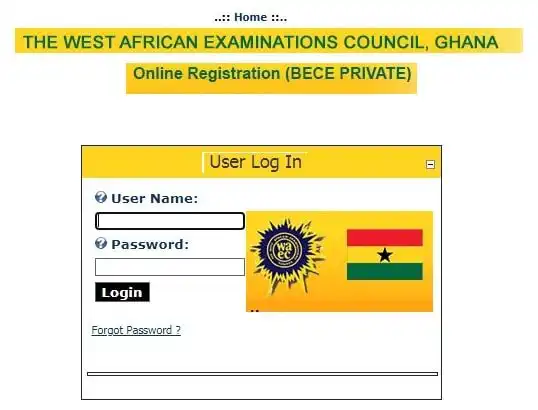
The 2021 Private BECE Examination registration has begun with the opening of the portal by WAEC.
Interested applicants can begin their registration to sit for the 2021 examination
According to WAEC, the 2021 normal registration for all Private BECE candidates commenced on January 11, 2021, and will end on March 1, 2021.
Join GhanaEducation.org on Whatsapp for more news – JOIN NOW!!!!
ALSO READ: Private BECE subject fees for 2021 announced by WAEC
How to register for 2021 BECE for Private examination
Educationweb.com.gh as part of efforts to ensure this year’s candidates complete the online process smoothly has put together the below 14 comprehensive steps to being the 2021 BECE for Private registration
- Visit the BECE for Private Candidates registration website.
2. Select the link to BECE (PC).
3. Click on “Start Registration Here”
4. Re-Sitters–provide an index number for the last sitting and continue.
5. First-Timers–provide your date of birth and continue
6. Fill in the required security data, i.e. password, security question, etc.
7. Fill in your personal information.
8. Select your Region and then Centre (where you wish to take the examination).
9. Upload your image (recent passport-sized photograph with a white background) and your signature (written in blue or black ink).
10. Select the subject(s) you intend to write.
11. Print your voucher and send it to any of the banks listed in item 14.
12. Print your Declaration Form for endorsement by your parent/guardian and submit same to the WAEC office in your region.
13. Pay the appropriate fees at the participating banks or through mobile money.
14. Use your PIN/Invoice Number to access your Index Number and Admission Notice from 20th January 2021.
Just in case you have any inquiries, we might be of help with your 2021 Private BECE Examination registration questions.
Join GhanaEducation.org on Whatsapp for more news – JOIN NOW!!!!
READ: Bad news for 2020 BECE graduates as WAEC releases results
| Instructions to 2021 BECE Private examination Candidates |
|
| Instructions for Private BECE examination Fingerprint Scanning |
|
 on your desktop to launch the application and enroll your fingerprints