How to Convert Websites into an App on Windows
Imagine having the ability to convert websites into an apps effortlessly and at no cost. This capability can be a game-changer, especially if you frequently access specific websites.
While many web browsers support this feature, if your preferred browser lacks it, you might contemplate switching. In this guide, we’ll discuss a simple, yet effective method of transforming websites into an apps on your Windows system.
How to Convert Websites to an App Using Microsoft Edge Browser
- Open the Edge Browser.
- Go to the Website you intend to turn into an App.
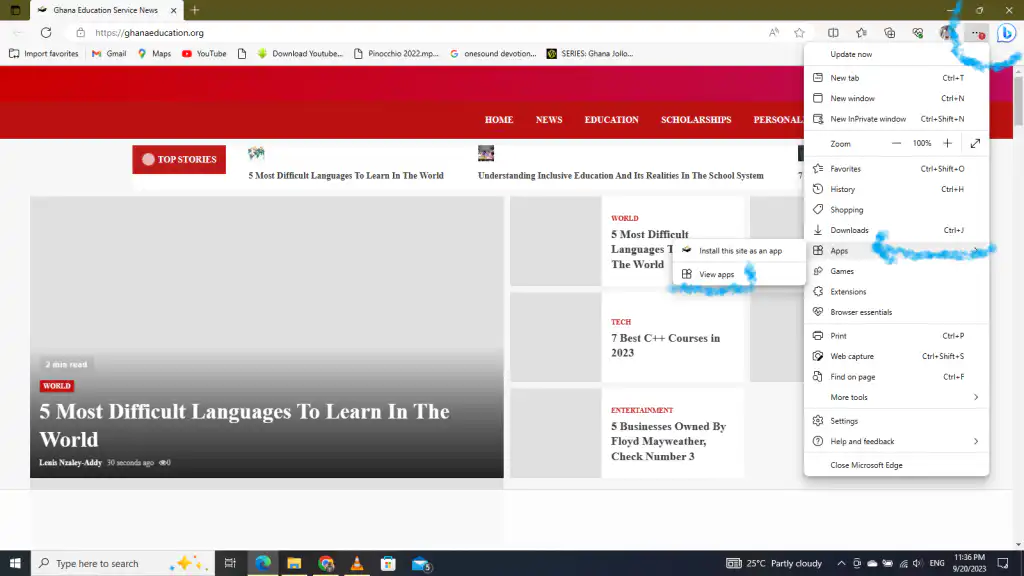
- Click on the three-dot icon at the top right corner.
- From the dropdown click on Apps then hover to the open tab and select Install this site as an app.
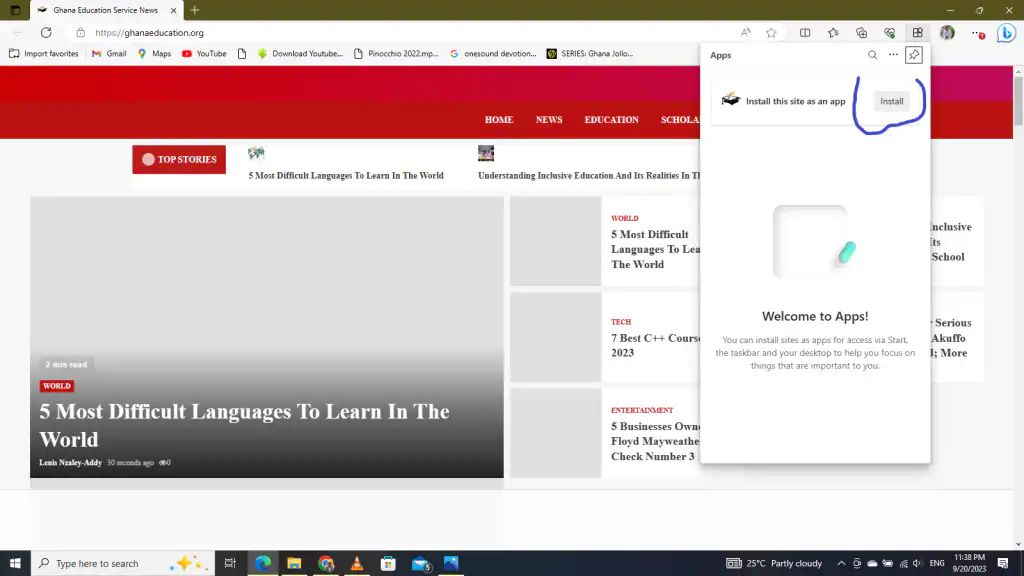
- Click on Install.

Rad Also : I am scared, our Ghanaian languages are dying
WANT TO PASS 2027 BECE? REGISTER FOR BECE HOME MOCK
Register your ward for Ghana's premier Home Mock service, active since 2022.
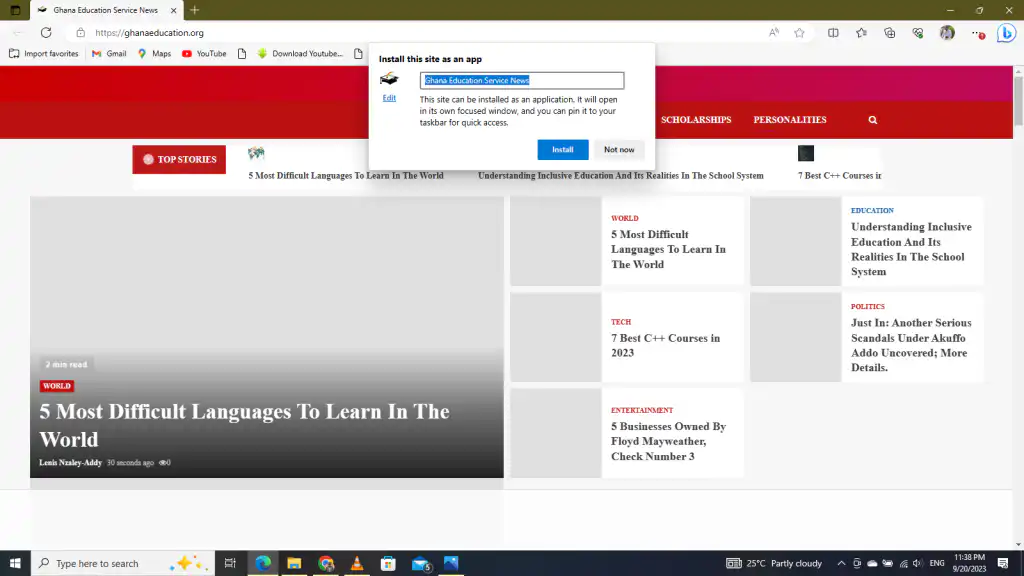
- Enable the features you want the app to make use of on your PC. You can pin to taskbar, pin to start, create a desktop shortcut or auto-start, depending on your preference along side the process to convert websites into an App.
- Finally, click Allow.
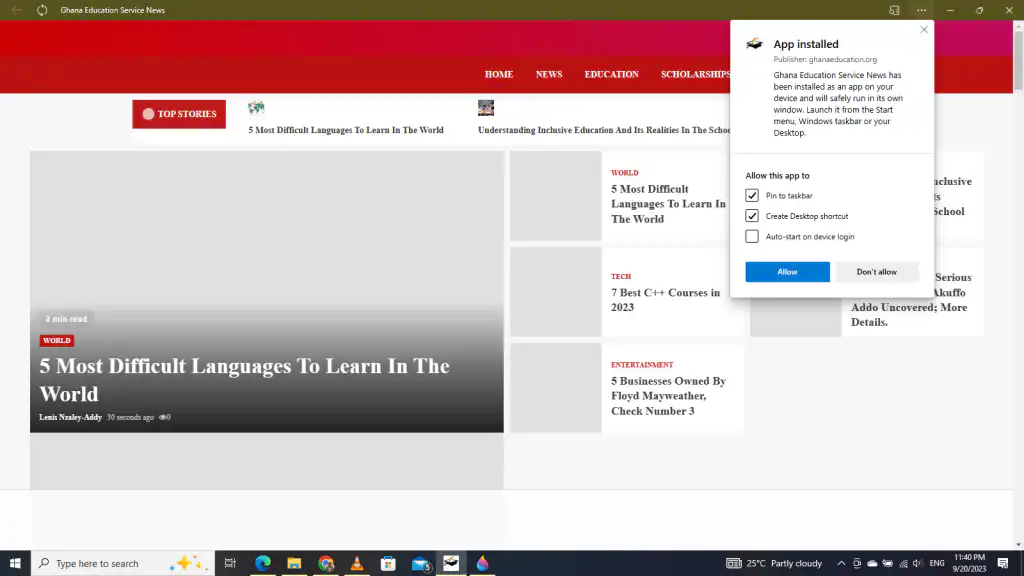
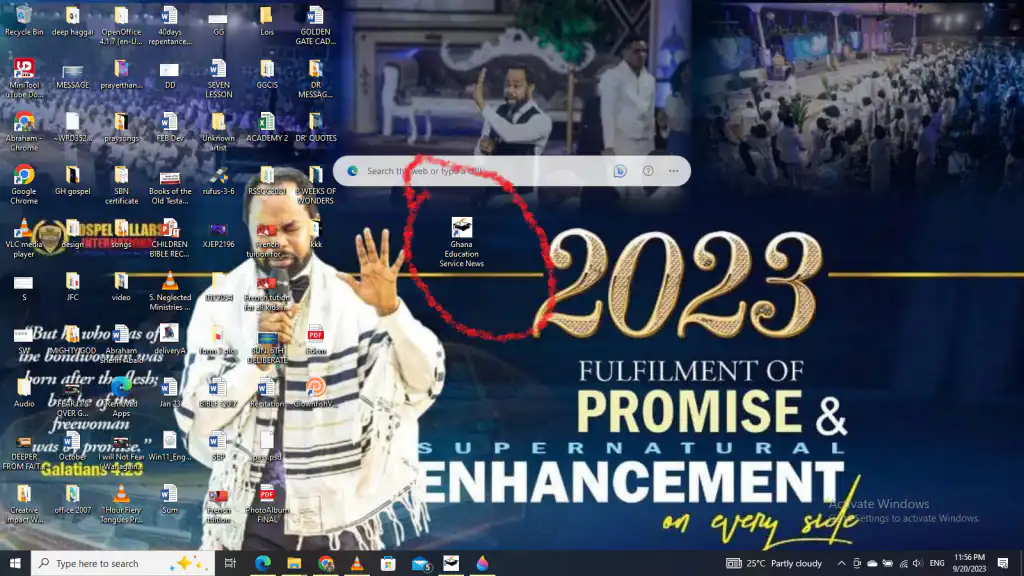
- Based on your Allow this app to feature, the site would be turned into an App and be shown on your taskbar.

Additionally, certain websites provide the choice to install them as web apps, often referred to as Progressive Web Applications (PWAs).

To install Progressive Web Apps, do this: (last step convert websites into an App)
Also Read: Check the latest response from Sammy Gyamfi on Cocoa Board CEO’s assertions
- Visit your preferred website.
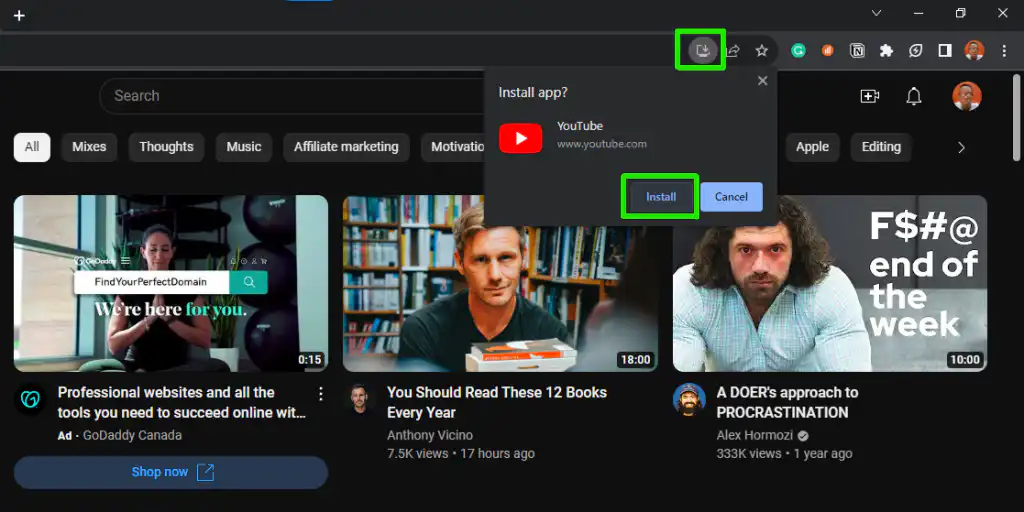
- Locate the installation icon situated to the right of the search bar, then click on it.
- Next, click on Install.
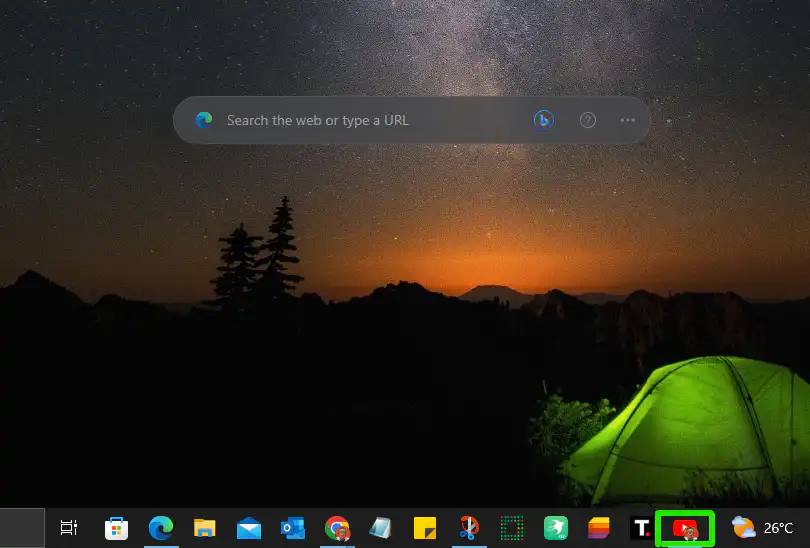
- Once installed, you would get to see the app on your taskbar.
Conclusion
This guide has shown you how to do it step by step, so you can use websites like regular apps on your computer. It’s a great way to make your digital experience smoother and more convenient.