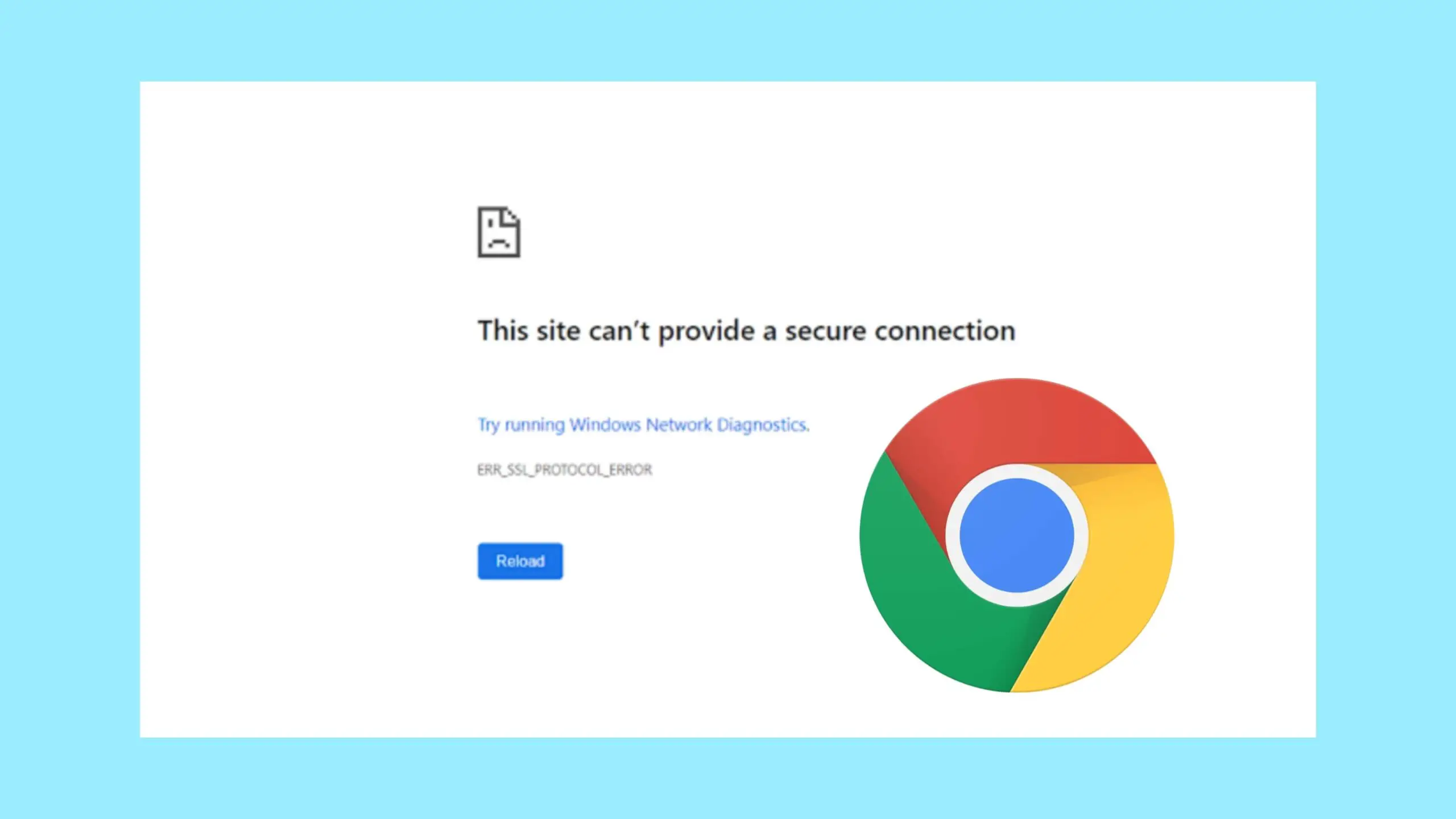
Sometimes you want to visit a webpage, and you’re greeted with the message “This site can’t provide a secure connection”. This can be very frustrating and annoying, especially when you really need to visit the site.
This error typically occurs when your web browser encounters issues establishing a secure connection to a website. This error can occur for a lot of reasons, either the website does not have an SSL certificate installed or the browser uses an expired SSL certificate, when you install the SSL certificate but do not enable force HTTPS, incorrect date and time, firewall or antivirus, etc.
This issue is predominantly resolved by site owners, as they are responsible for the SSL certificate, but oftentimes, that is not the cause of the error. In this guide, we’ll walk you through how to resolve this problem.
Before you go about troubleshooting “This site can’t provide a secure connection”, you should confirm the error is from your end, and not from the site. To do this, you can check if the site has an SSL certificate and if the certificate is up to date. A secured site with an SSL certificate begins with https and has a padlock icon prefixed to it. Let’s see how to fix this error of “This site can’t provide a secure connection” step by step.
To check the status of the site SSL certificate, if it is valid or expired, follow the steps below.
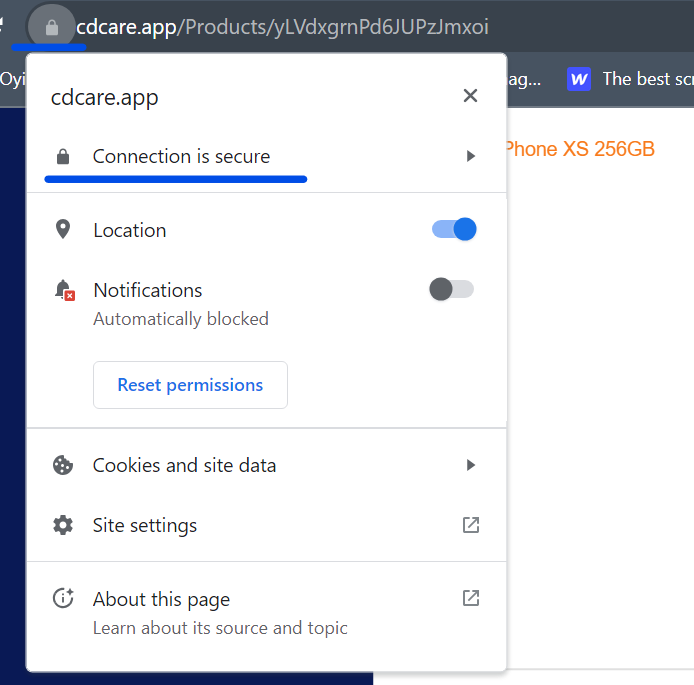
- Click on the padlock icon and select Connection is secure.
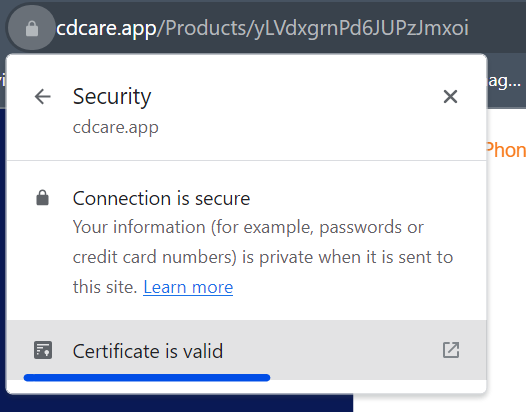
- Click on Certificate is valid.
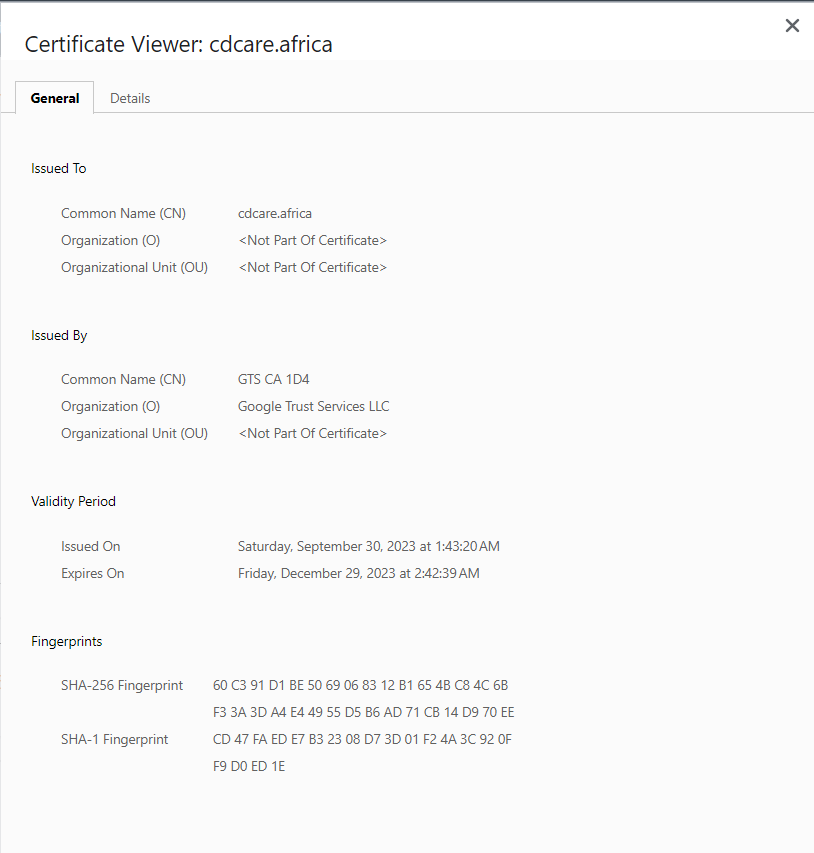
- This will provide information about the certificate, watch out for its expiry date. If the certificate has expired, that explains your trouble, and at this point, contact the website owner to inform them of the issue if you can.
Where the SSL certificate is valid, the first thing you should do is try reloading the page as the error is sometimes temporary. If this does not fix the problem, then you can proceed to the steps below in this guide.
CHEAP NON-EXPIRING DATA
Buy affordable data bundles that never expire. Reliable and Instant Delivery!
BUY CHEAP DATA NOWALSO READ: 5 HIGHEST PAYING JOBS IN THE WORLD, CHECKOUT NUMBER THREE
Set up HTTPS in your browser
Browsers now allow a way to set up HTTPS in your browser by default. In Chrome, follow these steps.
- Go to settings on your Chrome browser.
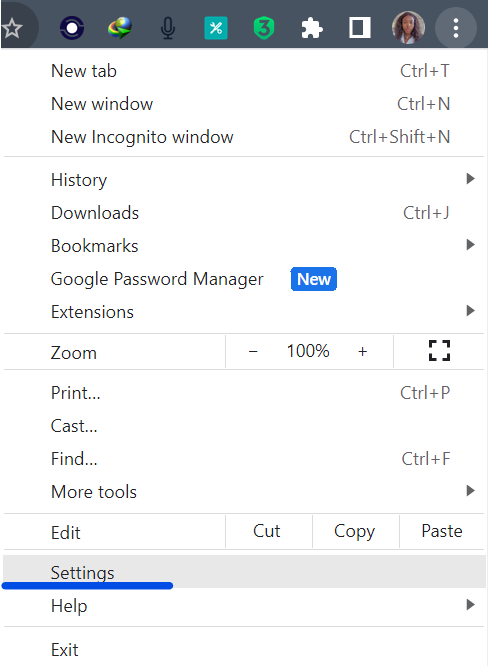
- Go to privacy and security and select security.
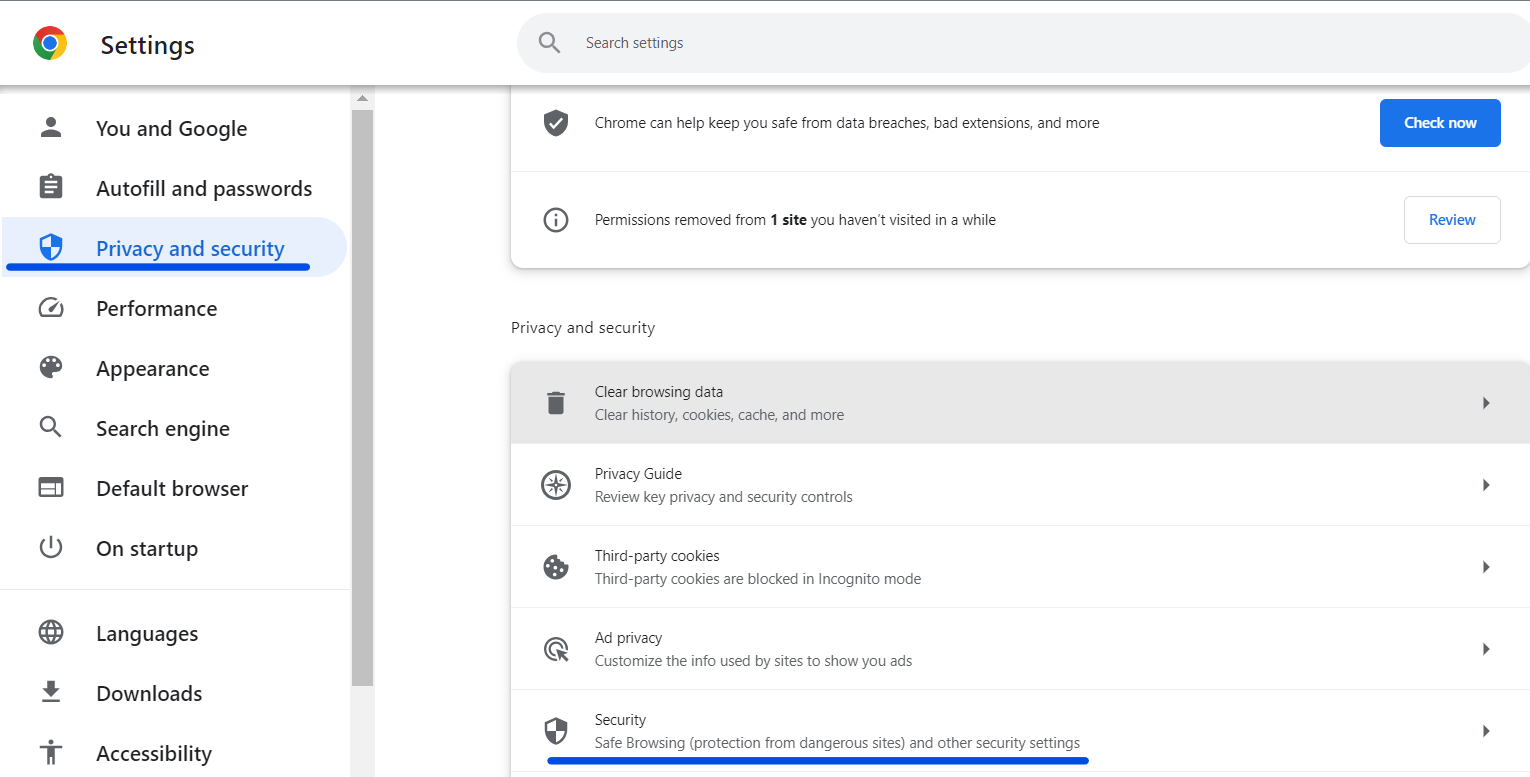
- Scroll to the bottom, and turn on the Always use secure connections.
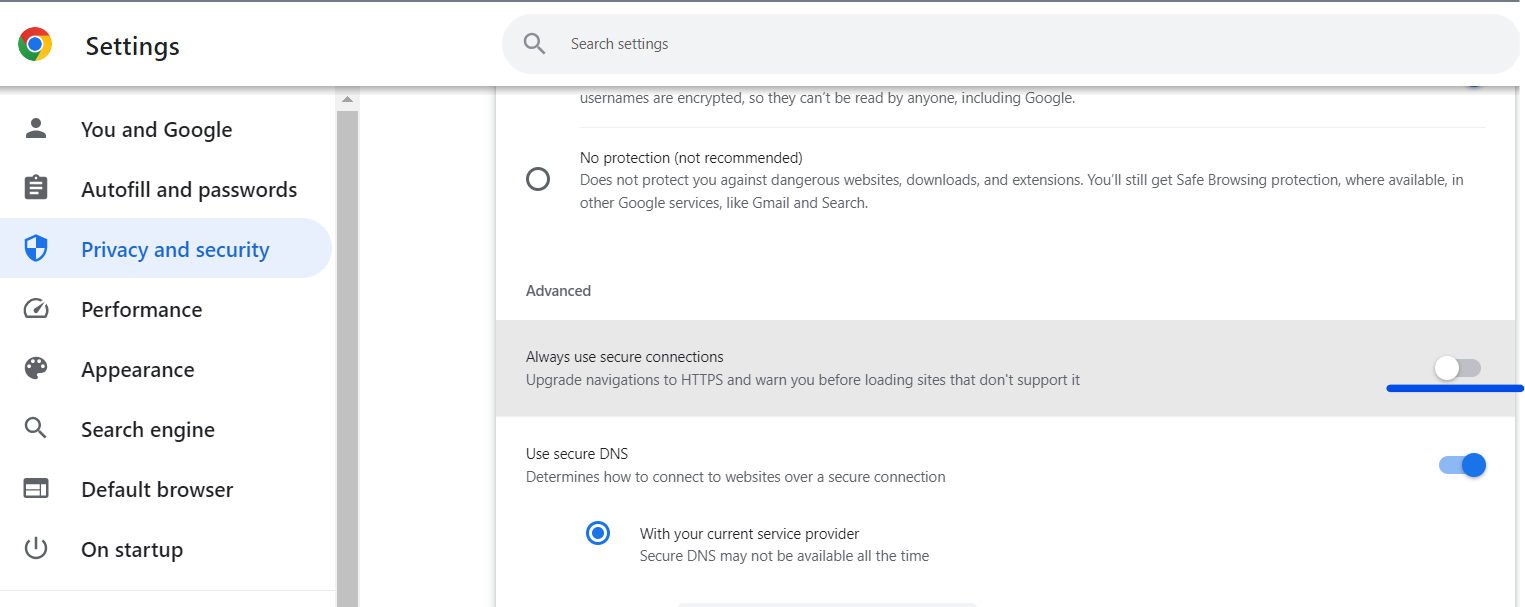
Clear Browser Cache and Cookies
Outdated or corrupted cached data can cause issues. Clear your browser’s cache and cookies from the settings menu. This can also one element of the issue of the site can’t provide secure connection
EXCEL IN YOUR EXAMS
Get instant access to the most reliable Mocks and Marking Schemes.
BUY TOP 2026 BECE MOCKS AND ANSWERS- Go to your Chrome settings.
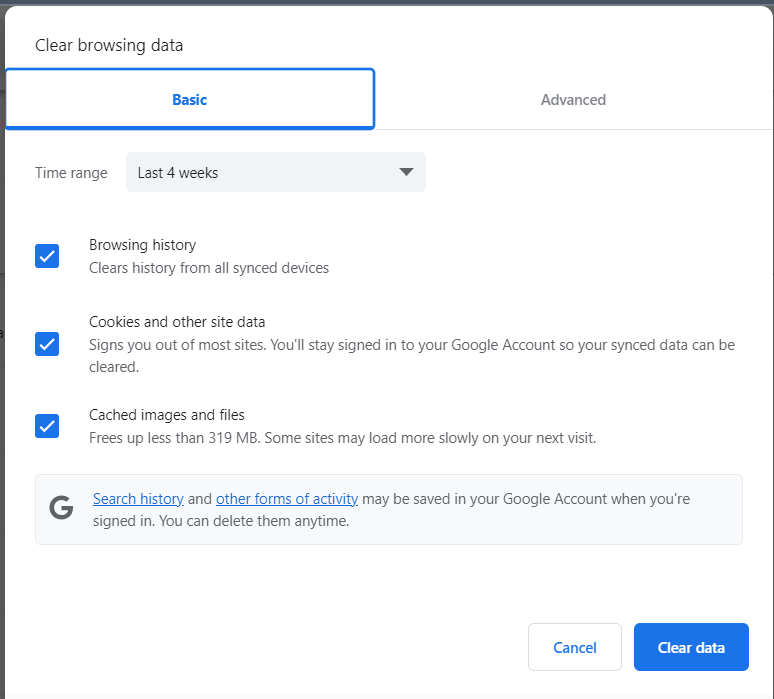
- In your settings, select privacy and security and select clear browsing data.
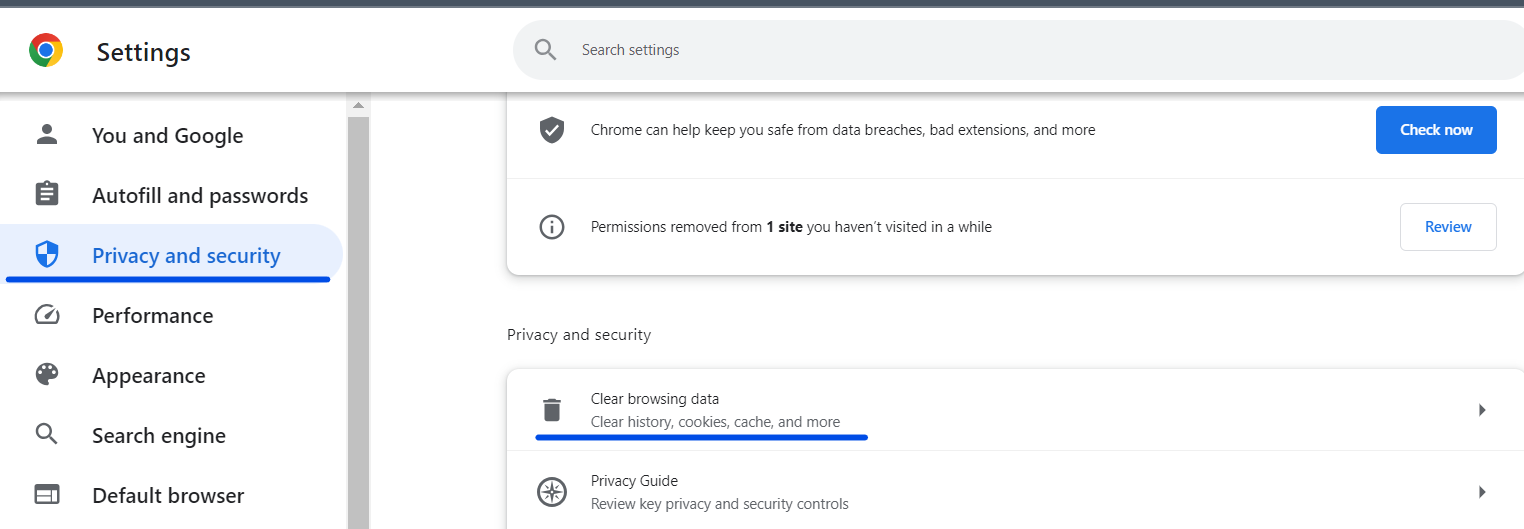
- You can adjust the time range as you desire, then click on clear data to clear the cache and cookies. You can navigate to Advance if you want to have full control of your actions.
Disable the firewall or antivirus
Your firewall or antivirus software can sometimes cause this error. You can temporarily disable your firewall or antivirus software to see if they are causing the issue of the site can’t provide a Secure Connection. To disable them, this is how to go about it.
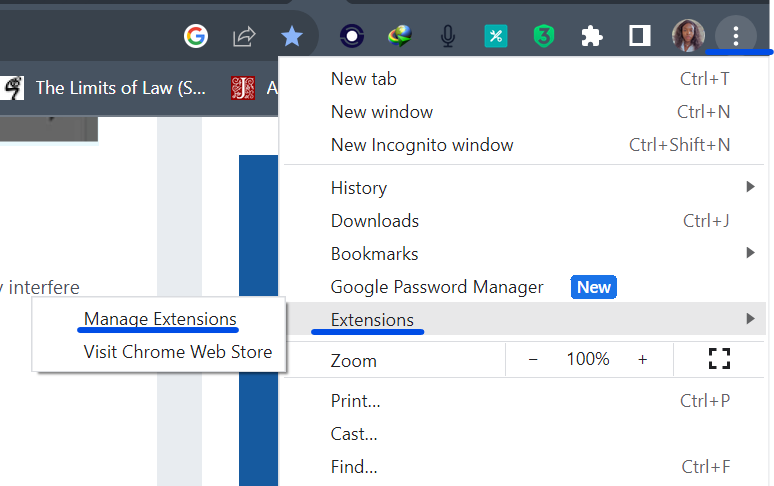
- On your Chrome browser, click on the three vertical dots, scroll down to Extensions, toggle it and click on Manage Extensions.
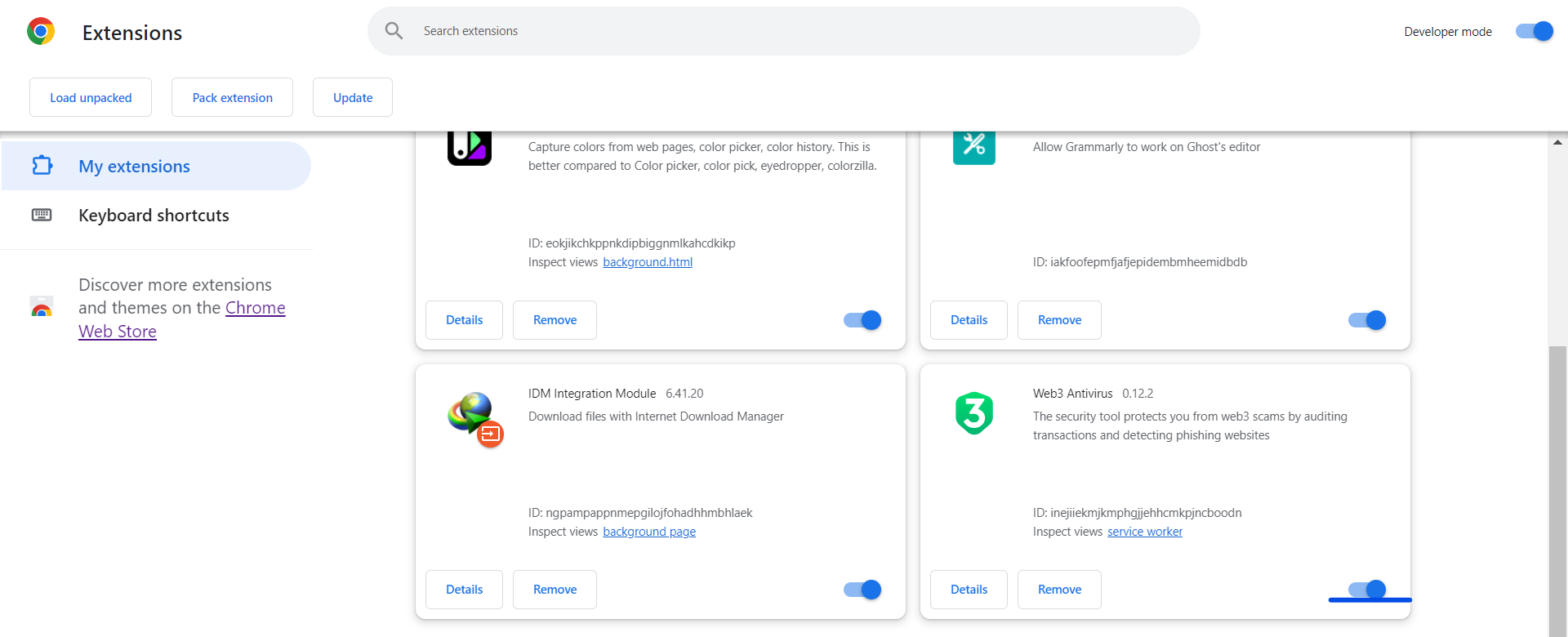
- You’ll find a list of installed extensions, find the firewall or antivirus software and disable them.
Update your device date and time
Inaccurate date and time can also cause SSL errors on browsers. If you encounter this error, you should check and confirm your device date and time in the settings are up to date. If it isn’t, you should ensure to make the update.
Disable QUIC protocol
While QUIC allows you to establish a connection faster and negotiates all HTTPS settings when you connect to a site, it can cause SSL connection issues sometimes. To disable QUIC protocol in the Chrome browser, here is how to go about it.
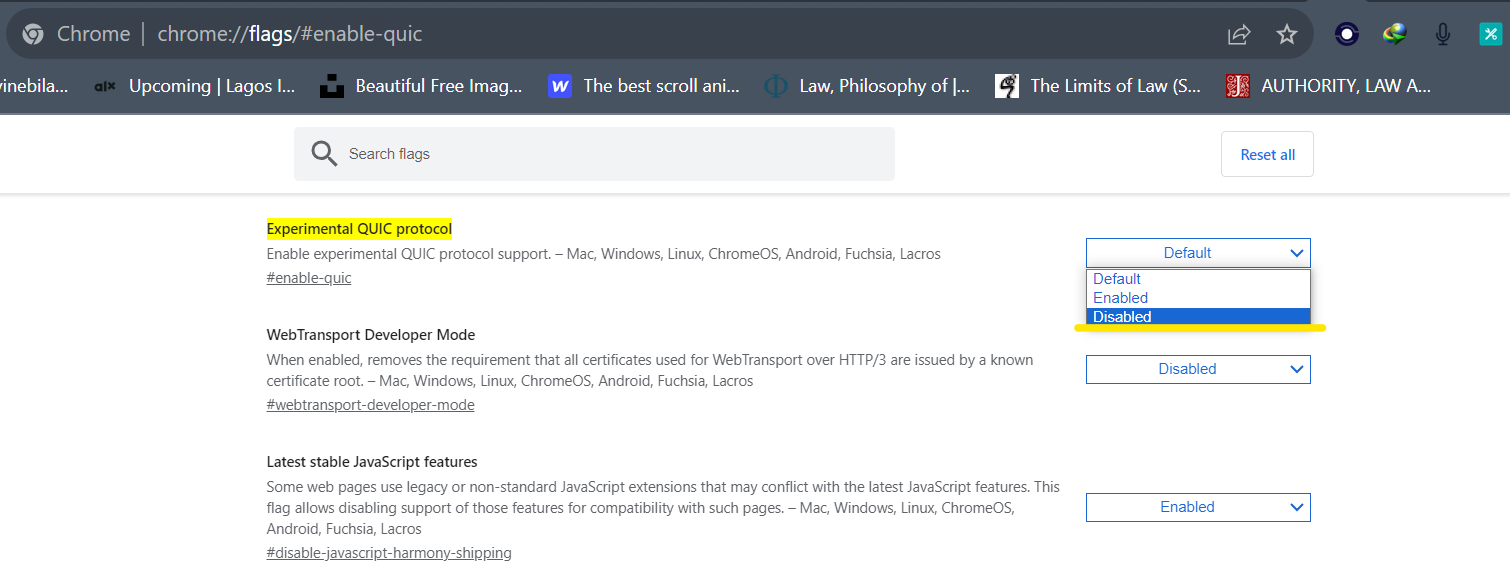
- On the search bar, type chrome://flags/#enable-quic
- On the experimental QUIC protocol, toggle the and click on disabled.
- Close the browser and launch it again.
Conclusion
Encountering this error “This site can’t provide a secure connection” can be frustrating, but it’s a sign that your browser is doing its job of protecting you from potential security risks. By following the steps outlined in this article, you can often resolve the issue and safely access the websites you need.