How to boost website traffic by manually indexing your content

How to boost website traffic by manually indexing your content with Google Search Console is a must-have skill. Although search engines such as Google and Bing index content automatically, it may take a long time, especially for new websites. The knowledge shared here is good for beginners and experienced bloggers and website managers who do not know how to manually index their content.
Organic traffic from Google is important to free traffic, and every blog or website must target it. This write-up with does exactly that by teaching you how to put your content and website on the trajectory for increased traffic.
Note that Organic traffic from Google requires google crawlers to know that you have posted a content, and you need to call them into action to visit your site after every publication or when you edit the content.
To ensure your content does not get delayed in the indexing process, you can boost website traffic by manually indexing your content as soon as you publish it.
How to boost website traffic must be of interest to every business online owners, digital marketing officers, blog owners, and content writers.
It is no doubt that businesses and blogs that drive traffic are able to increase sales and AdSense revenue and are always ahead of the competition.
If you have not been able to increase website traffic using your Google Search Console, this guide will help you do that.
You will also learn how to know the keywords you are ranking for and those that drive the most traffic.
This knowledge can help you create more useful content with those keywords for more traffic and move your content to page one.

Before you start, the steps below, Headers and Footers by WPBeginner and activate it. This plugin allows you to add extra scripts to the header and footer of your blog by hooking into wp_head and wp_footer. It will make the process very easy.
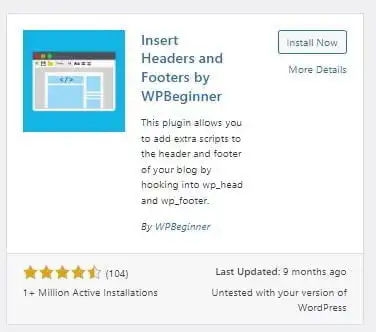
This plugin allows you to add extra scripts to the header and footer of your blog by hooking into wp_head and wp_footer.
Steps to increase your website traffic with Google Search Console.
1. Optimize your content for search engines. I have shared a topnotch step-by-step guide on how to do this in the post “How to Drive Traffic Using YOAST SEO and Search Engine Optimization Tactics
2. You need to register with the Google Search Console to start benefiting from the free service towards improving search engine traffic and visibility.
How to Register for Google Search Console.
a. Create a Google Gmail and log into it.
b. Go to Google’s home page and search for Google Search Console.
c. Click on the link with the name Google Search Console.
READ: What Google AdSense looks for before approving AdSense Applications
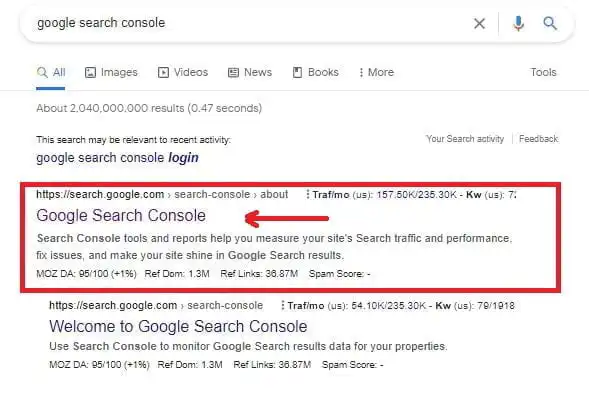
d. This should lead you to the page shared below. In the space in the red rectangle, past your website domain. It should look like this https://domainname.com/ as shown below.
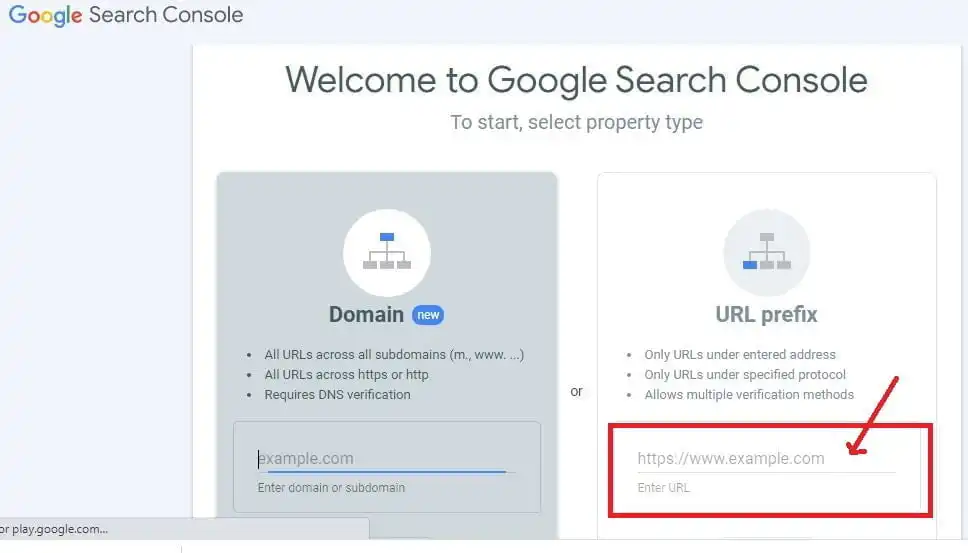
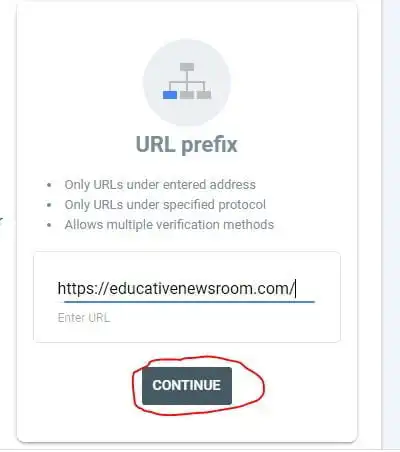
e. Click the [CONTINUE] button to proceed.
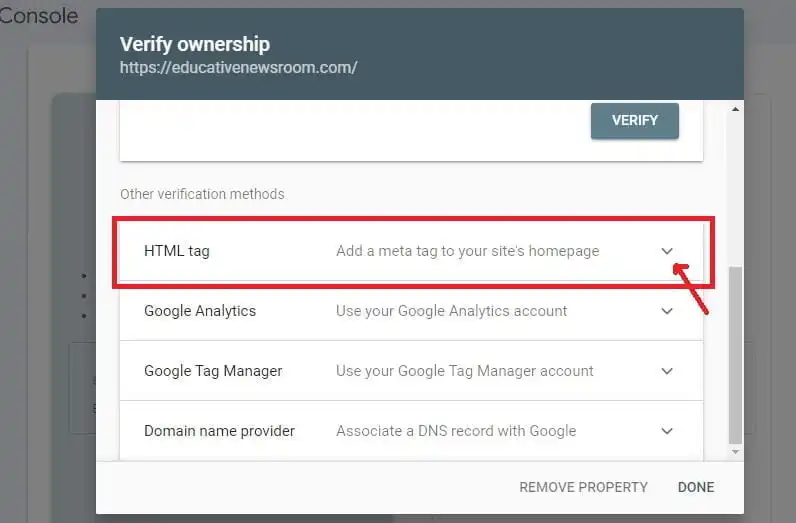
f. The next interface that pops up is shown below. Scroll down to the HTML tag and click on the dropdown menu to reveal the code then copy it.
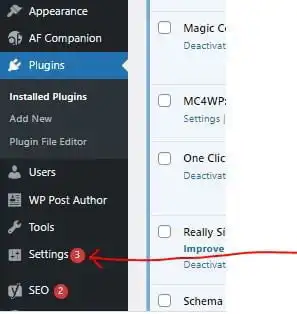
g. Go backend of the website and look for the Header and Footer plugin you installed. It is located in the settings section. Click on the header and footer to open it.
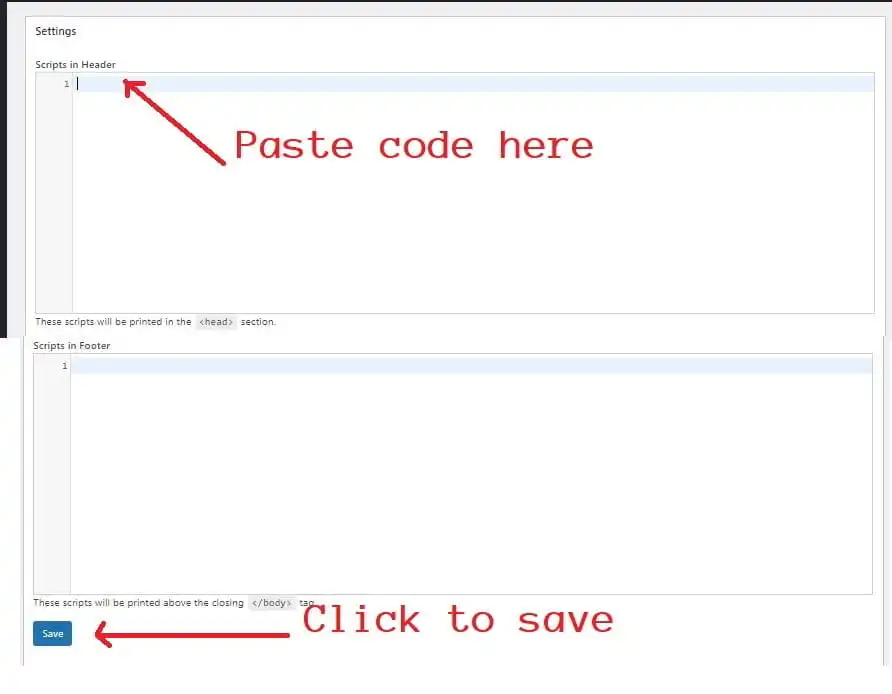
i. Now, the interface below will pop up, paste the code you copied from the console in the header section as shown. Scroll down to the end of that page and click on save.
j. Go back to your Google Search Console registration page and click on the [VERIFY] button as shown below.
![Google Search Console registration page and click on the [VERIFY] button as shown below.](https://ghanaeducation.org/wp-content/uploads/2022/04/pppdpfd-min.webp)
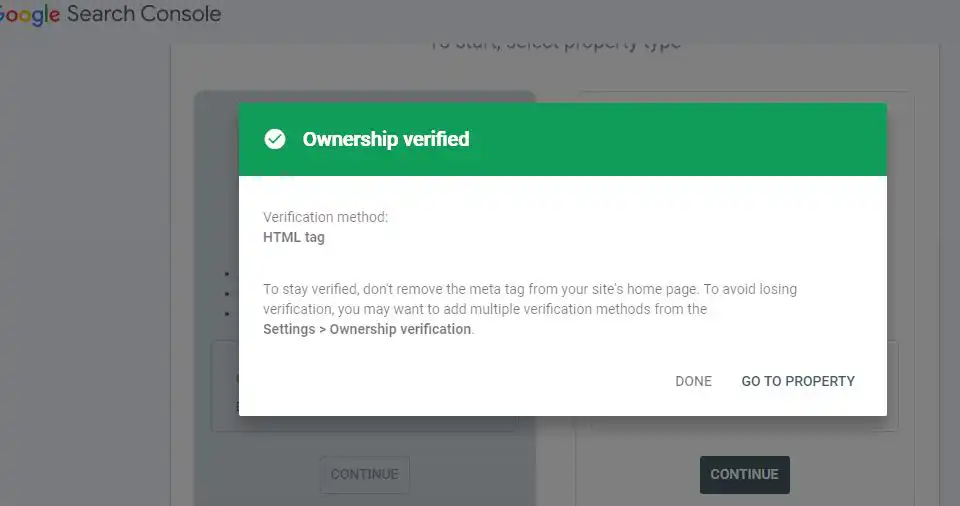
Once you go through these simple steps you should be verified and registered as the owner of the domain as shown below. Go to the property to start using your console.
How to manually index content on Google Search Console
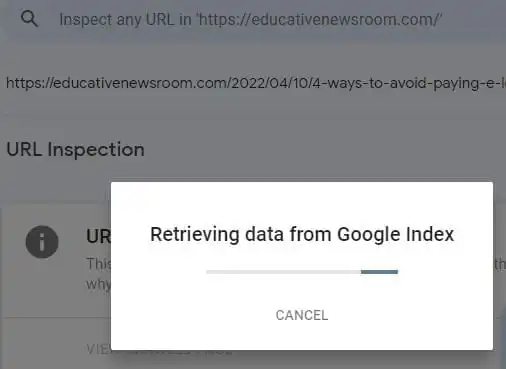
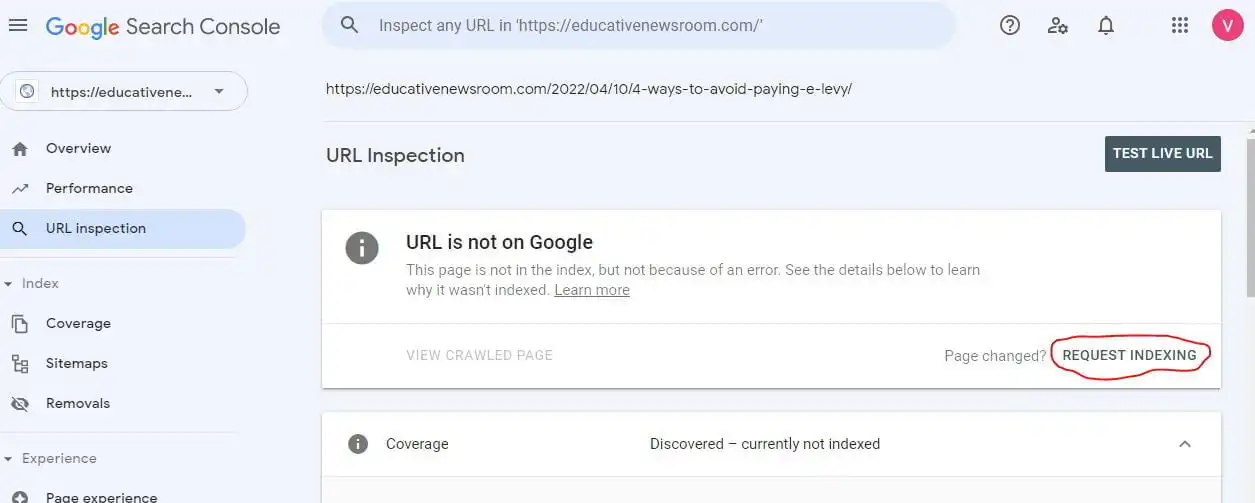
We have connected the website to the console hence each time you publish new content or edit old content, make sure you copy the URL of the post and past it in the web search section of the console then hit enter on your keyboard to index the content. As shown below.
When you click on the enter key on your keyboard, indexing starts. After it ends, click on the [REQUEST INDEXING] button.
This must become a common practice and this manual indexing must be done for every content. This will help you rank better, get noticed by people looking for your kind of content, and drive free traffic from Google to your website. Without optimizing your content and indexing them, all your contents are most likely dead on arrival and no one will notice them.