Civil Service Announces 2024 Online Examination Details for Graduate Applicants
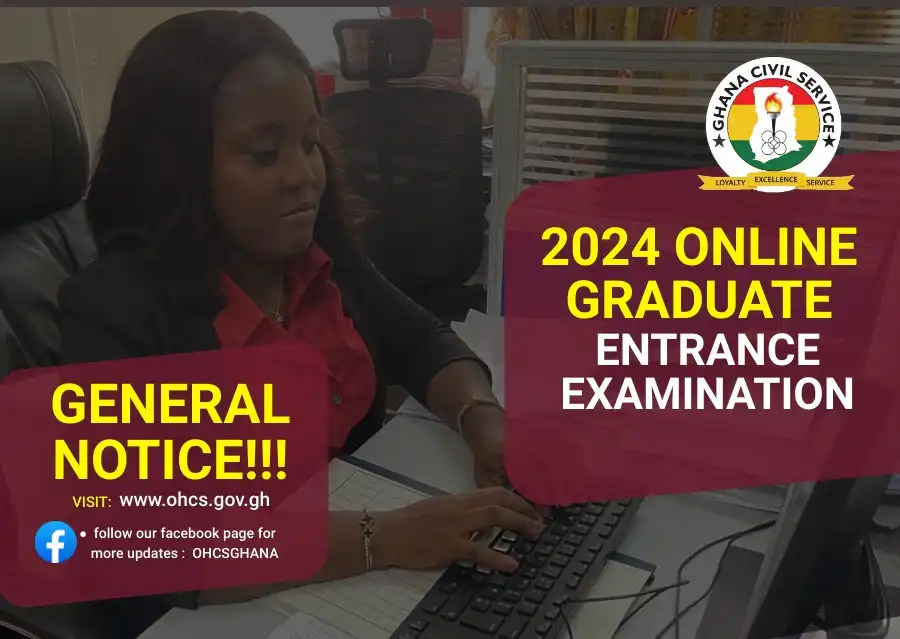
Civil Service Announces 2024 Online Examination Details for Graduate Applicants through its 2024 ONLINE GRADUATE ENTRANCE EXAMINATION GENERAL NOTICE
The Office of the Head of the Civil Service (OHCS) is pleased to announce the schedule and guidelines for the 2024 edition of the Civil Service Graduate Entrance Examination for recruitment to the Service for the year 2024. Graduate candidates who successfully submitted an online application through the OHCS recruitment portal will receive an SMS notification bearing further details on the examination.
SCHEDULED
- Date: Friday, 2nd August, 2024
- Time: 10am – 1pm (In batches)
GUIDELINES
1.0 INSTRUCTIONS TO CANDIDATES BEFORE THE EXAMINATION
- Examination Requirement
Candidates are required to use the following to access the Online Examination;
- A desktop / laptop computer with an Internet Browser (e. Internet Explorer, Microsoft Edge, Google Chrome, Mozilla Firefox, or Safari) NB: Usage of phones is strongly discouraged
- Stable Internet access for the duration of the examination. Turn off all incoming calls if you are using your phone as hotspot.
- Account Verification
Candidates will be provided with an Index Number and Password. Upon receiving this, candidates are required to visit the examination portal accessible through the Applications menu on www.ohcs.gov.gh or www.exams.nilhav.tech and follow the steps below:

- Click “SIGN IN”
- Type in your “Index Number” and “Password” received from OHCS
- Verify your account name
- Examination Structure and time
This is a TEST OF COGNITIVE ABILITY (CRITICAL REASONING). In forty (40) minutes, answer thirty (30) questions. For each question, possible answers have been provided. Candidates are expected to select the best option that agrees with the answer chosen. (Tick your answer).
- Payment
To participate in the Examination, candidates are required to make a ONE-TIME NON-REFUNDABLE payment of GH¢ 100.00 as examination fees. Service charges from your network or the service provider applies. Candidates will be notified of the time period to make payments. On the day of payment, refer to the “payment procedure” in item 4.0 below for further details.
2.0 INSTRUCTIONS TO CANDIDATES DURING THE EXAMINATION
- Read all instructions carefully
- Read the terms and conditions for the examination and “Tick” the check box at the button of the page to accept terms and conditions for the examination. Candidate will not see questions if box is not ticked.
- Do Not “CLOSE” or Use the “BACK” Button on your Internet Browser once the examination has commenced. This will result in the loss of examination data, which has not yet been submitted. Instead, use the “PREVIOUS” and “NEXT” button to move between questions.
- At the end of the Examination, once you click “Submit” you will not be able to go back to make any changes.
- Do not solicit external assistance during the examination. If reported and this is proven your result will be cancelled.
3.0 INSTRUCTIONS TO CANDIDATES AFTER THE EXAMINATION
- For “Multiple Choice” type questions, results are displayed immediately after the examination. Candidates are required to take note of their results and await further directives from OHCS.
- The OHCS reserves the right to use the result of the examination for decision making.
4.0 Civil Service 2024 Online Examination PAYMENT PROCEDURE
Payments are to be made through Mobile Money on the OHCS examination portal by following the procedures below;
- Click “SIGN IN”
- Login with your credentials (Index Number and Password)
- Under the All-Exam category, Click “Take Exam”
- Click “BUY NOW” and follow Mobile Money Payment process below
Mobile Money Payment Process
- Click “PAY THROUGH GHANA.GOV”
- Input Mobile Money number
- Click “Submit”
- On the Ghana.Gov payment portal click “Pay” and sign in with your Ghana.Gov account or sign up for Ghana.Gov account
- Choose “Mobile Money”
- Click “Continue”
- Click on your service provider (MTN, AirtelTigo, Telecel)
- Input Mobile Money number
- Click “Continue”
- Click “Pay”
- Authorise payment on your mobile device
NOTE: In case of interruptions during Step “10” of the Mobile Money payments procedure, you may have to check the approval system of your mobile network, and activate your pending transactions using (AirtelTigo Money – *110#, MTN – *170)
READ: How to Check Ghana Civil Service Recruitment Application Status
For further enquiries, kindly call: 0302 941704/0302963775/0302682332/0302941681