BECE Mock Analysis Made Easy: A Digital Tool for Schools on SkulManager.com
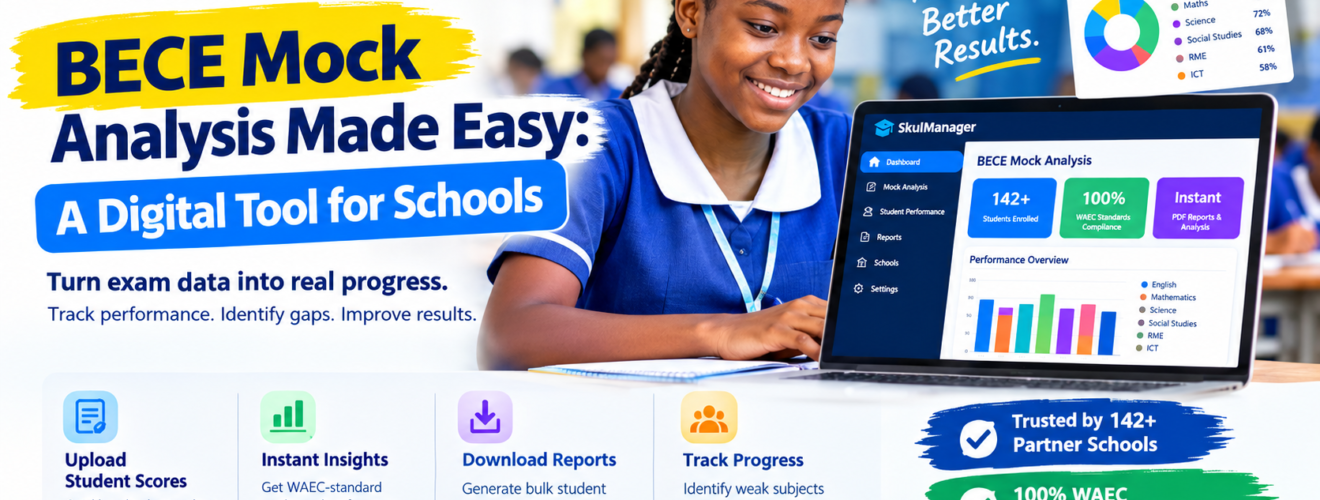
Do you know there is a faster and 101% efficient way to get your BECE mock result slips analyzed, slips generated, raw scores, aggregates, and the like calculated with just three steps in Ghana on Skulmanager.com? When you write an internal or external mock and your teachers mark the scripts, this is the best BECE Mock Engine needed to do the analysis and generate the result slips.
Preparing candidates for the Basic Education Certificate Examination (BECE) requires more than teaching lessons and setting mock questions. Schools must also mark scripts, process scores, analyse subject performance and identify candidates who need additional support.
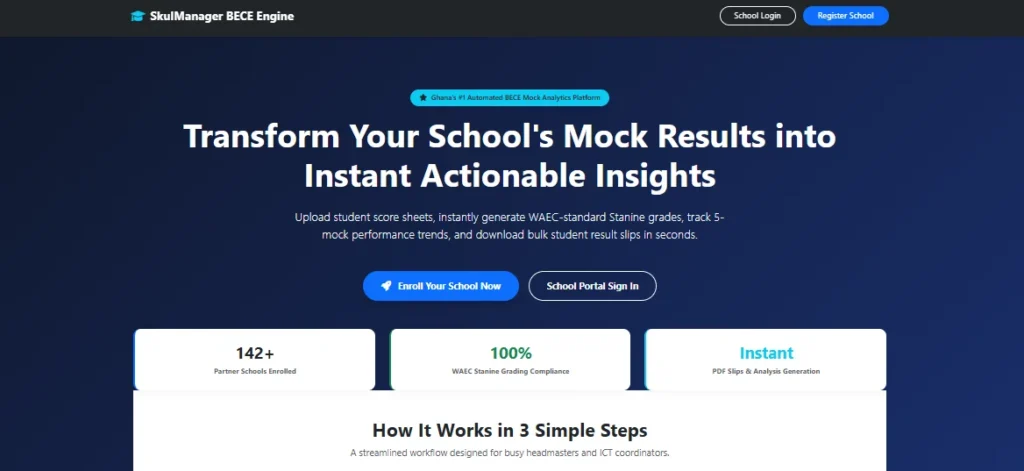
For headteachers, teachers and ICT or Computing teachers and coordinators, these administrative tasks can consume valuable time, especially when results must be compiled for an entire year group.
SkulManager’s BECE Mock Analysis Engine is designed to simplify this process. Developed by Education-News Consult, the online platform enables participating schools to upload candidate scores and generate examination performance reports without calculating every result manually.
How the SkulManager BECE Mock Analysis Engine Works
The platform follows a step-by-step process intended to make mock result processing easier for school administrators.
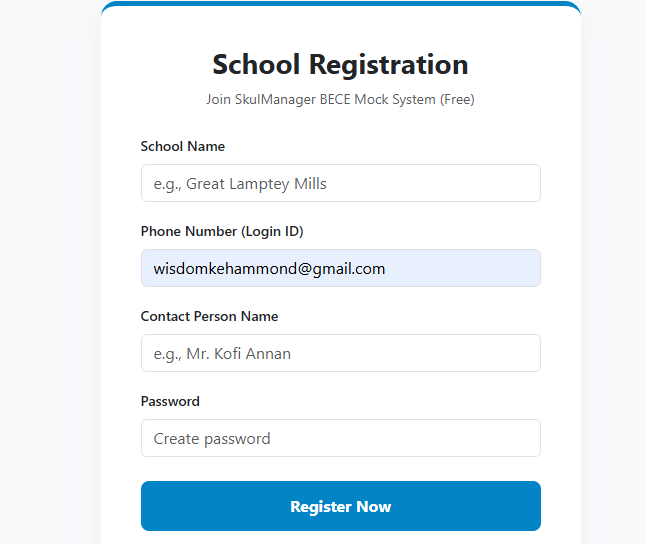
1. Register Your School
School authorities begin by visiting the SkulManager BECE School Registration Portal to create an account. The registration process requires details such as the school’s name, contact person and phone number. Go here https://skulmanager.com/bece_mock_engine/
We have over 10 Education Services on the website and visiting https://skulmanager.com/ will reveal all our premium services.
Once registration is complete, administrators can access their dashboard to manage the mock analysis process.

2. Activate Your Mock Session
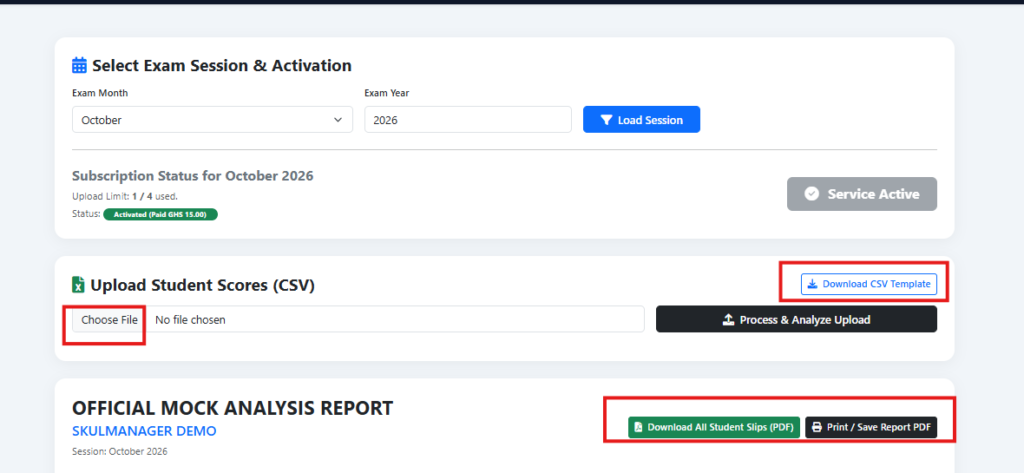
Administrators select the relevant mock examination month and year from the dashboard.
According to the platform’s stated process, schools pay an activation fee of GH₵15 per mock session. Payments are processed through Paystack, which supports mobile money and bank card payments. This means that you only pay for its use when you have a mock for a given month.
After successful payment, an SMS confirmation is sent to the school’s registered phone number through MNotify.
3. Upload Candidate Scores
Schools download the standard CSV score template from the portal and enter candidates’ marks for the relevant subjects.
The completed file is then uploaded to the platform for processing. Schools should follow the template and upload instructions carefully to help ensure that their data is accepted correctly.
4. Generate Results and Performance Reports
After the scores are uploaded, the system processes the entries and calculates the relevant totals and aggregates based on its configured rules.
The platform is designed to reduce the time spent on manual calculations and help schools produce organised reports for reviewing candidates’ performance.
Key Features of the BECE Mock Analysis Engine
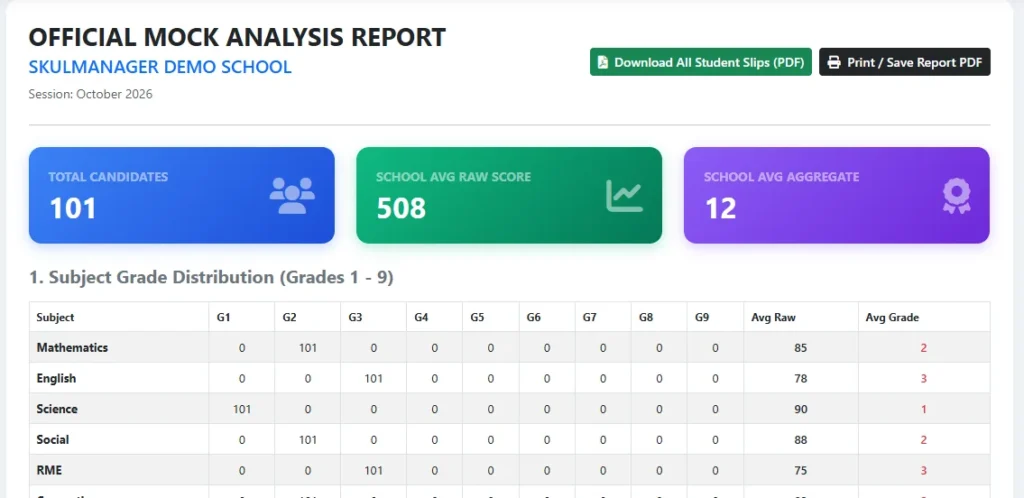
Automated Stanine Grading
The platform maps raw marks to a nine-point Stanine grading scale, helping schools organise and interpret candidates’ performance. Schools should confirm that the grading settings match the requirements they intend to apply before using the reports for formal decisions.
Subject Performance Analysis
Subject distribution tables provide a breakdown of candidates’ results across core and elective subjects. These reports can help teachers identify areas where learners are performing well and subjects that may require additional revision.
Visual Performance Charts
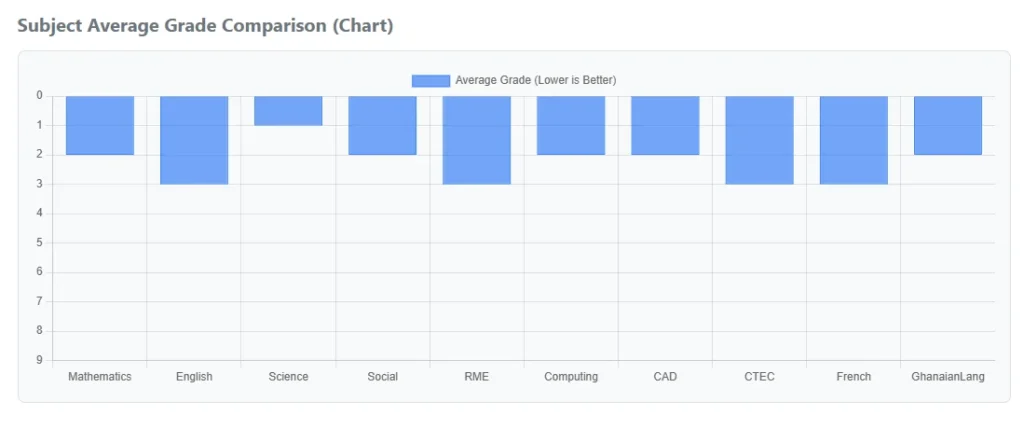
Interactive charts allow school administrators to compare average performance across subjects. This can make it easier to identify patterns that may be less obvious when reviewing individual marks alone.
Tracking Performance Across Five Mock Sessions
The platform supports tracking academic performance across up to five consecutive mock sessions. This gives schools a way to review changes in candidates’ results over time and assess whether additional teaching and revision are helping.
Bulk Student Result Slips
Schools can download and print individual candidate result slips in a single organised PDF file. This feature is intended to simplify result preparation and reduce the work involved in producing slips individually.
School Performance Rankings
The platform also provides national school ranking tools for super-administrators. These tools compile participating schools’ results into leaderboards based on average raw scores and aggregates, according to the platform’s stated configuration.
Such comparisons should be interpreted in context, including differences in candidates, mock papers and assessment conditions.
More Digital Tools for Schools
The BECE Mock Analysis Engine forms part of the wider range of education services offered through SkulManager.com by Education-News Consult.
These services include the BECE Home Mock, which provides candidates with additional examination practice outside regular school hours, and the BECE School Mock, which supports schools in organising mock assessments.
SkulManager also features a School E-Voting System designed to help schools conduct student leadership elections and other polls online.
Together, these services are intended to support schools with assessment, preparation and selected administrative activities through digital tools.
Why Headteachers and Teachers Should Consider Digital Mock Analysis
Manually compiling examination results can take time that teachers could otherwise spend reviewing scripts, addressing learning gaps and planning remedial lessons.
An automated analysis tool can help schools process scores more efficiently and organise the information needed for academic planning. Performance reports can also support discussions among teachers, heads of department and school leadership about where learners need further assistance.
However, the usefulness of any report depends on accurate score entry, appropriate grading settings and careful interpretation by school staff. Digital analysis supports professional judgement; it does not replace it.
How to Get Started with SkulManager
Schools interested in simplifying BECE mock result processing can visit SkulManager.com and access the BECE Mock Analysis Engine through the relevant school registration and dashboard pages.
School heads and ICT coordinators should review the registration instructions, score template and session activation requirements before uploading candidates’ marks.
For schools processing large numbers of mock examination results, a structured digital workflow can make result compilation more manageable and help teachers focus on the next important task: improving learners’ understanding before the BECE.
SkulManager is developed by Education-News Consult to support Ghanaian schools with digital assessment and school administration tools.