Sample Of A Perfect Curriculum Vitae(CV)

CV is used when applying for jobs in most business across the globe. Let’s take a look at how to build a perfect CV. This will make you a hot cake for during every recruitment.
Sample Of A Perfect Curriculum Vitae(CV)
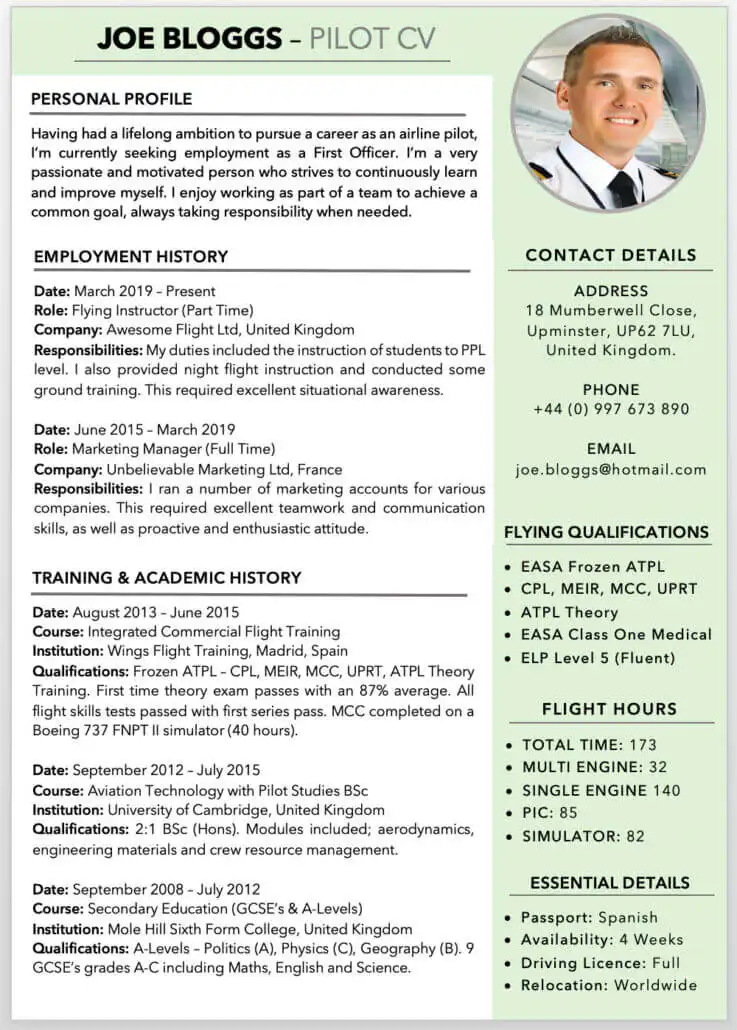
A perfect CV must contain your detailed information such as;
- Full Name
- Date of Birth
- Marital Status
- Contact details (email, call, phone, address)
- Profile
- Hometown
- Education
- Work Experiences
- References( At least three will be ok)
Check Out The Reopening Date For Next Term For Basic Schools
THINGS TO TAKE NOTE
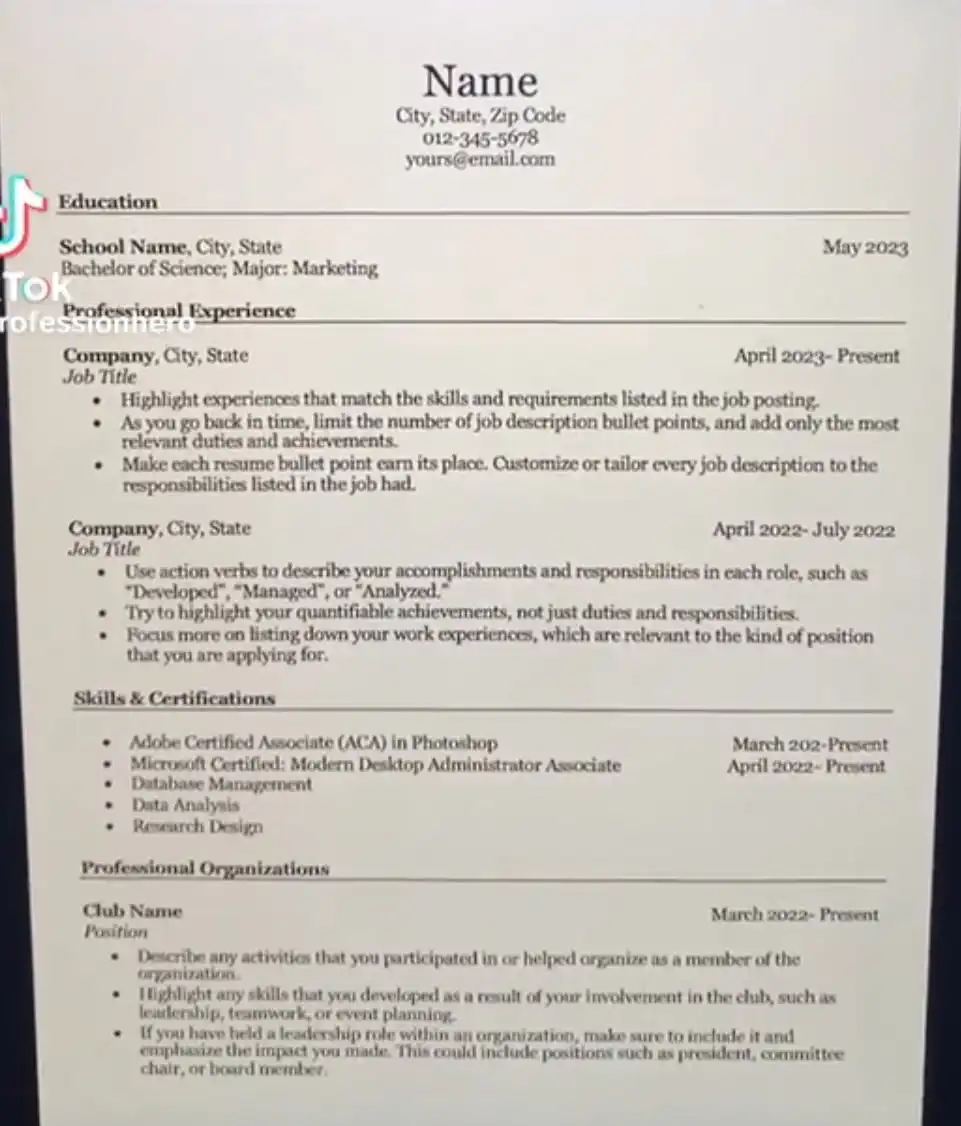
- Avoid titling the document ‘curriculum vitae’ or ‘CV’. Simply replace your name there.
- Times New Roman is the perfect format to use when writing a CV. The next best thing to use is Calibri don’t.
- List everything in reverse chronological order. Then the recruiter sees your work history and most recent achievements first.
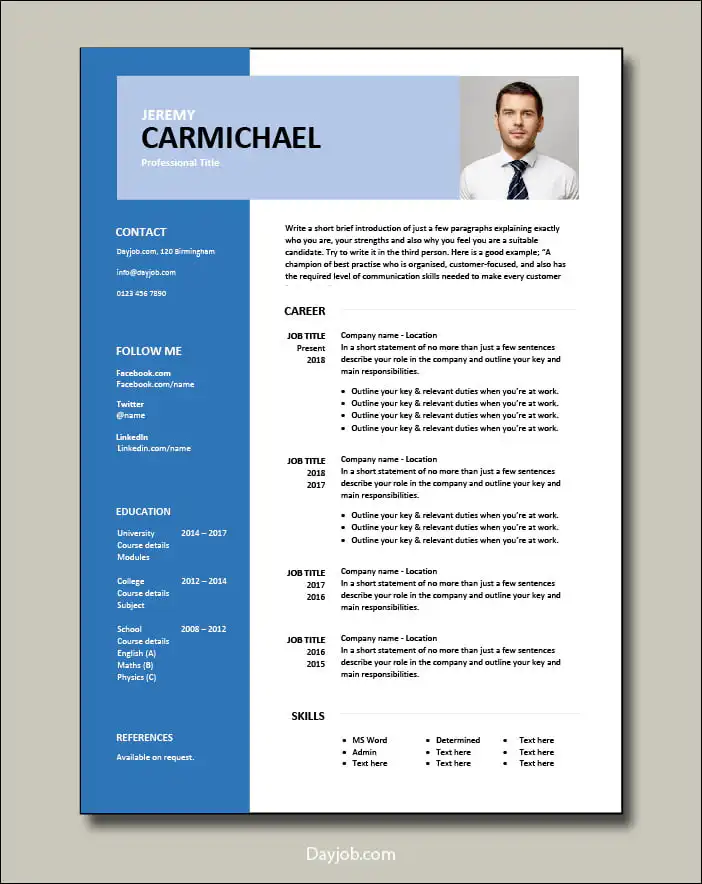
- Keep it concise by using bullet points. This type of CV layout allows potential employers to skim your CV and quickly pick out important information first.
- Double check your margins – Having white space around your CV will make it easier to read and look less cluttered. Aim for 2.5 centimetre margins all the way around. Don’t be tempted to make these smaller to fit more in.
- Name the document when saving – Don’t just save as ‘Document 1’. Make sure the title of the document is professional and identifies you, such as ‘Joe-Smith-CV’.
- Your document should be saved in PDF format. Saving it in word format will cause several issues with different computers. The file may show fine on your PC but when your employer receives it in document format, the arrangements may change.
Below are some format of a perfect Curriculum Vitae CV.
WANT TO PASS 2027 BECE? REGISTER FOR BECE HOME MOCK
Register your ward for Ghana's premier Home Mock service, active since 2022.