2025 GES Teacher Promotion Exam Results Official Portal Will Be Active From 10PM Tonight
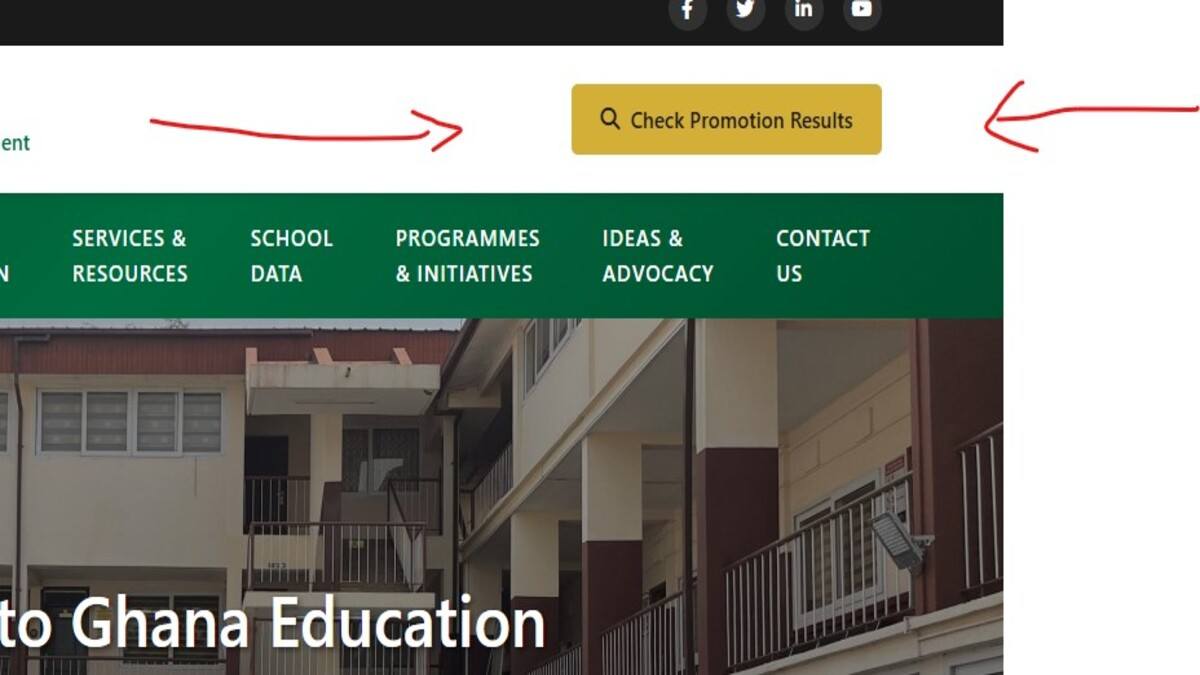
The Ghana Education Service (GES) has officially released the results for the 2025 Teacher Promotion Examination. While official statements initially indicated an afternoon release, the latest confirmed administrative intelligence indicates that the secure verification platform and voucher system will officially be active and available for checking by 10:00 PM tonight.
At the time of filing this report, the portal was not live. While the GES has loaded the results onto the portal, the portal will have to populate the result with the data over a period of time before it becomes accessible to the public. Although the GES indicated that the result portal would be live at 3 pm, it did not tell teachers who sat the promotion examination and want to know their results that the system will have to populate before it goes live. Below is the feedback you get when you visit the portal currently.
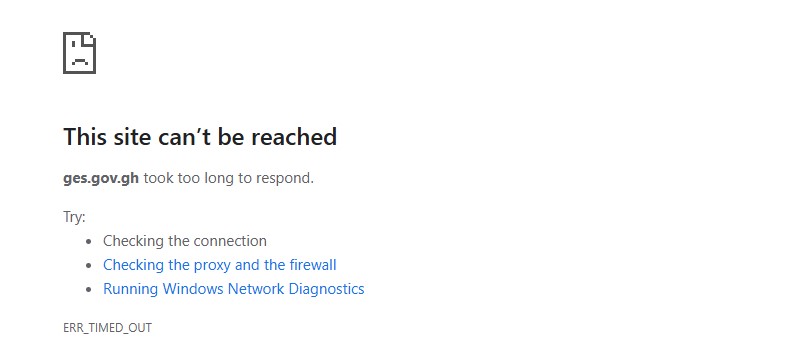
Key Portal Release Information
- Exam Year Status: 2025 Promotion Examination Results
- Portal Activation Time: 10:00 PM (Tonight)
- Official Host Domains:
https://ges.gov.gh/ - Target Ranks: Principal Superintendent, Assistant Director II, Assistant Director I, and Deputy Director.
Requirements Checklist Before Official Portal Becomes Active From 10PM Tonight
Ensure you have the following credentials ready to avoid system timeout errors when traffic surges at 10:00 PM:
- Official Staff ID / Index Number: The structural number allocated to your candidate profile during registration.
- Mobile Money (MoMo) Wallet: Required to complete the secure integrated payment for your digital access e-voucher.
- Internet data to check the portal—It is recommended you use a laptop to check the results to avoid the challenges that come with using mobile phones. This will help when the traffic to the site is high.
Official Step-by-Step Guide to Check Your Promotion Results
Step 1: Open the Verified GES Domain
At 10:00 PM, navigate directly to the official Ghana Education Service web platform. Do not use unsecured search engine redirection links.
- Primary Portal:
https://ges.gov.gh/
Step 2: Navigate to the Promotion Portal Link
Locate and click on the prominent notice card or menu item designated as “Check Promotion Results”. This will route you directly to the automated processing landing page.
Step 3: Purchase Your Access E-Voucher / Pin
The modern GES database framework utilizes an e-voucher access authentication mechanism to pull up candidate records.
- Click on the “Buy Voucher” or “Purchase PIN” prompt on the screen.
- Select your mobile money provider (MTN, Telecel, or AT) and input your active wallet number.
- Approve the prompt transaction on your phone (The standard processing fee ranges between GHS 10.00 and GHS 20.00).
- Important: Instantly screenshot or write down the Serial Number and PIN provided on the final confirmation screen and sent via SMS.
Step 4: Data Entry and Validation
On the main results verification interface, execute the following data entry carefully:
- In the first field, enter your Index Number (or Staff ID, as specified by your rank category).
- In the subsequent fields, input your newly purchased Voucher Serial Number and Voucher PIN.
Step 5: Process and Generate Your Promotion Slip
- Confirm all input fields are completely free of typos or extra spaces, then click “Submit” or “Verify”.
- Your official notification parameters will process on-screen, stating your status (Successful or Unsuccessful).
- If successful, your printable clearance window will generate. Tap
Ctrl + P(or choose options on mobile) to save the document as a PDF file. This document serves as primary proof for future biometric registration and salary scale adjustments.
Critical Fraud & Security Alert for Teachers
Due to high web traffic surges immediately following the 10:00 PM activation window, the main server may experience temporary latency. Please observe the following official safety guidelines:
READ: GES Releases 2025 Teacher Promotion Examination Results: How to Check Yours Online

- Beware of “Result Upgrading” Scams: The GES database is securely encrypted on centralized government servers. No WhatsApp agent, Telegram coordinator, or third-party entity can modify an “Unsuccessful” status. Do not send money or your personal Staff ID to anyone promising an upgrade.
- Confirm Security Certifications: Always ensure the web address begins with a secure
https://lock protocol. Never input your administrative identity numbers into unprotected blogging interfaces.