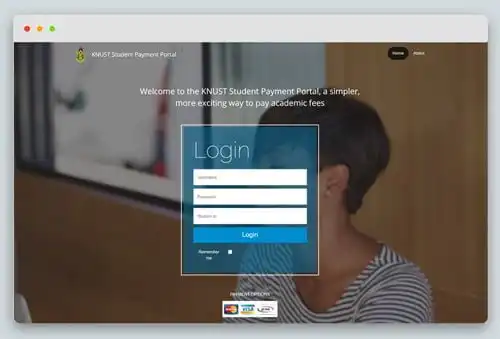
Students who have gained admission can now pay KNUST Fees online without going to the banking hall. This newly released process by KNUST means students will not need to join long queues in the banking hall. Instead fees can be paid online from mobile phones.
Congratulations on your successful admission to KNUST. Your credentials are made up of a USERNAME and PASSWORD.
Kindly note that this is NOT the same as your KNUST Admissions Application Credentials. Note that you are NOT TO SHARE YOUR KNUST STUDENT CREDENTIALS WITH ANYONE. Failure to adhere to this will attract sanctions as prescribed by the KNUST ICT Policy.
What can you do with your KNUST Student Credentials?
You can perform the following functions on the AIM app
Profile update
Course Registration
Print registration slip
Check results
Assess Lecturers
Bill and payment information
Transcript request, etc.
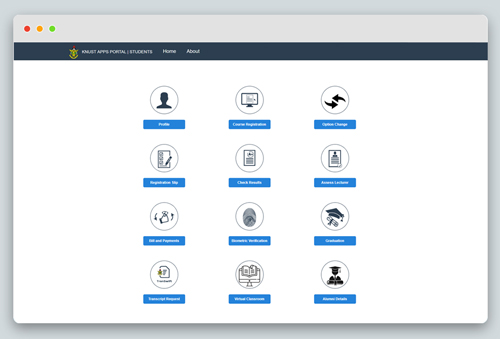
The Students’ Portal
Steps
Go to https://apps.knust.edu.gh/students
Provide the following and sign in
Username
Password
Student ID or Reference Number(Refer to your admissions letter or Student ID Card)
You can perform the following functions on the students’ portal
Profile update
Course Registration
Print registration slip
Check results
Assess Lecturers
Bill and payment information
Transcript request, etc.
Online Payment of School Fees: How to pay KNUST Fees online without going to the bank
Freshmen who have accepted their admission offer and have been sent their KNUST student credentials can pay fees online, refer to Online Payment of School Fees here.
CHEAP NON-EXPIRING DATA
Buy affordable data bundles that never expire. Reliable and Instant Delivery!
BUY CHEAP DATA NOW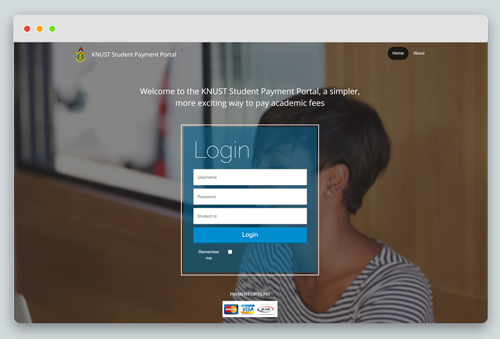
Online Payment of School Fees
Steps
Go to https://pay.knust.edu.gh/
Provide the following and login
Username
Password
Student ID or Reference Number (Refer to your admissions letter or Student ID Card)
Choose the fee payment item you wish to make payment for and proceed
KNUST AIM App
Steps
Download the AIM App from the play store or app store
Install the app
Log in with your Username, Password and Student ID or Reference Number (Refer to your admissions letter or Student ID Card). If your username is “jdoe1”, you are required to enter “jdoe1@st.knust.edu.gh” or for Distance Learning students “jdoe1@idl.knust.edu.gh”, with your password to be able to login. Click here to watch how to login.
You can perform the following functions on the AIM app
Profile update
Course Registration
Print registration slip
Check results
Assess Lecturers
Bill and payment information
Transcript request, etc.
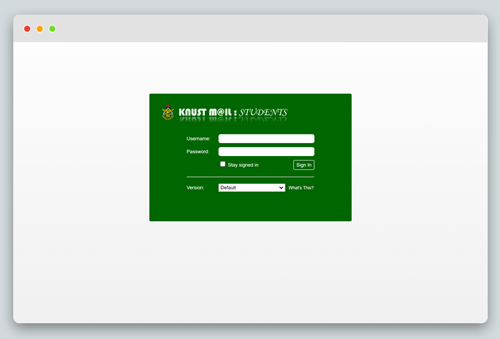
Student Email
Steps
EXCEL IN YOUR EXAMS
Get instant access to the most reliable Mocks and Marking Schemes.
BUY TOP 2026 BECE MOCKS AND ANSWERSGo to https://stdmail.knust.edu.gh/
Enter your username and password
Click login
NB. Assuming your USERNAME is jdoe1, your official email address will be jdoe1@st.knust.edu.gh. That for Distance Learning students will be jdoe1@idl.knust.edu.gh

On-campus Wi-Fi
Steps
Search for the Wi-Fi signal KNUST WIFI
Click to connect
Provide your KNUST Student credentials and connect (Click here for wifi configuration on Android and iOS devices)
Virtual Classroom
Steps
Go to https://myclass.knust.edu.gh/
Provide your username (without @st.knust.edu.gh) and password
Click Log in
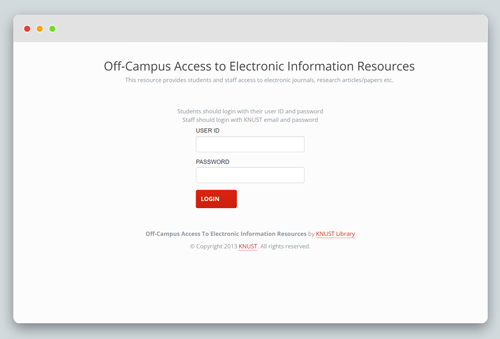
Electronic Library Resources
Steps
Go to https://ocl.knust.edu.gh/login
Provide your username(in this case the full email address i.e. jdoe1@st.knust.edu.gh) and password
Click Log in
How to Retrieve/Reset Student Credentials
To retrieve or reset your KNUST credentials kindly follow the steps below
Go to Forgot Password
Provide your student ID or Reference Number (Refer to your admissions letter or Student ID Card)
Confirm a portion of your personal email address and continue.